How to Edit Personal, Account and Password Information
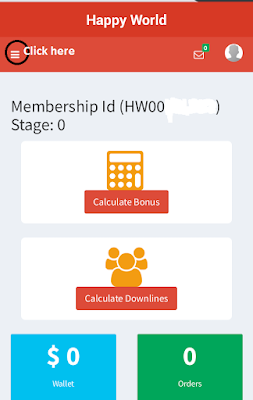
Based on my last post I promised to also show you how to edit some information even after registration, so here is the simple step by step guide to help you through it. Again, I will be using a smart Phone's screen shot for the illustrations. Now Lets Begin! Step One: Login Using your Username and Password log into your dashboard on the website; www.happyworldmealgate.org You should see this haven successfully logged in! Follow the click here illustration on the picture! Step Two: Click on Profile as shown in the picture On the drop down list, click on edit profile! Step Three: Click on edit personal information You will be taken to this page below after you click on edit personal information! Fill in the necessary information and click Submit after you have cross checked everything you inputted! Finally, to Edit Account and Password Details go back to the page below and click on the preferred information to edit! Be sure to a...
